Change Nautilus Search on Ubuntu 18.04
2020, Nov 17
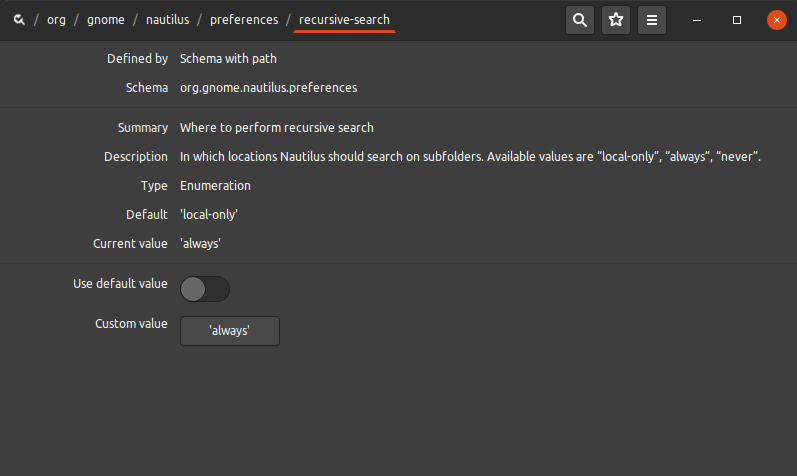
In ubuntu 18.04, search file using nautilus will bring up the result just on existing directory. If you want to search including sub directories you can change preferences as below.
Open the dconf Editor Via Application > System Tools > dconf Editor. change recursive-search from ‘local-only’ to ‘always’ Find the recursive-search on this directory org > gnome > nautilus > preferences > recursive-search